Family & Friends SMS Consent
Family & Friends uses SMS for phone verification and account-related messages, including one-time verification codes. We do not use this SMS program for promotional marketing.
How users opt in
In the Family & Friends mobile app, users select Phone on the Sign In or Create Account screen and enter their own phone number. Before a verification code can be requested, the user must review the SMS disclosure and actively select a consent checkbox.
The consent checkbox is unchecked by default. The Send verification code button is not available until the user provides consent.
I agree to receive SMS messages from Family & Friends for phone verification and account-related messages. Message frequency varies. Message and data rates may apply. Reply STOP to opt out and HELP for help. Consent is not a condition of purchase.
SMS opt-in screens
The screenshots below show the SMS consent flow in the Family & Friends mobile app. The verification button is disabled before consent and becomes available only after the user actively selects the SMS consent checkbox.
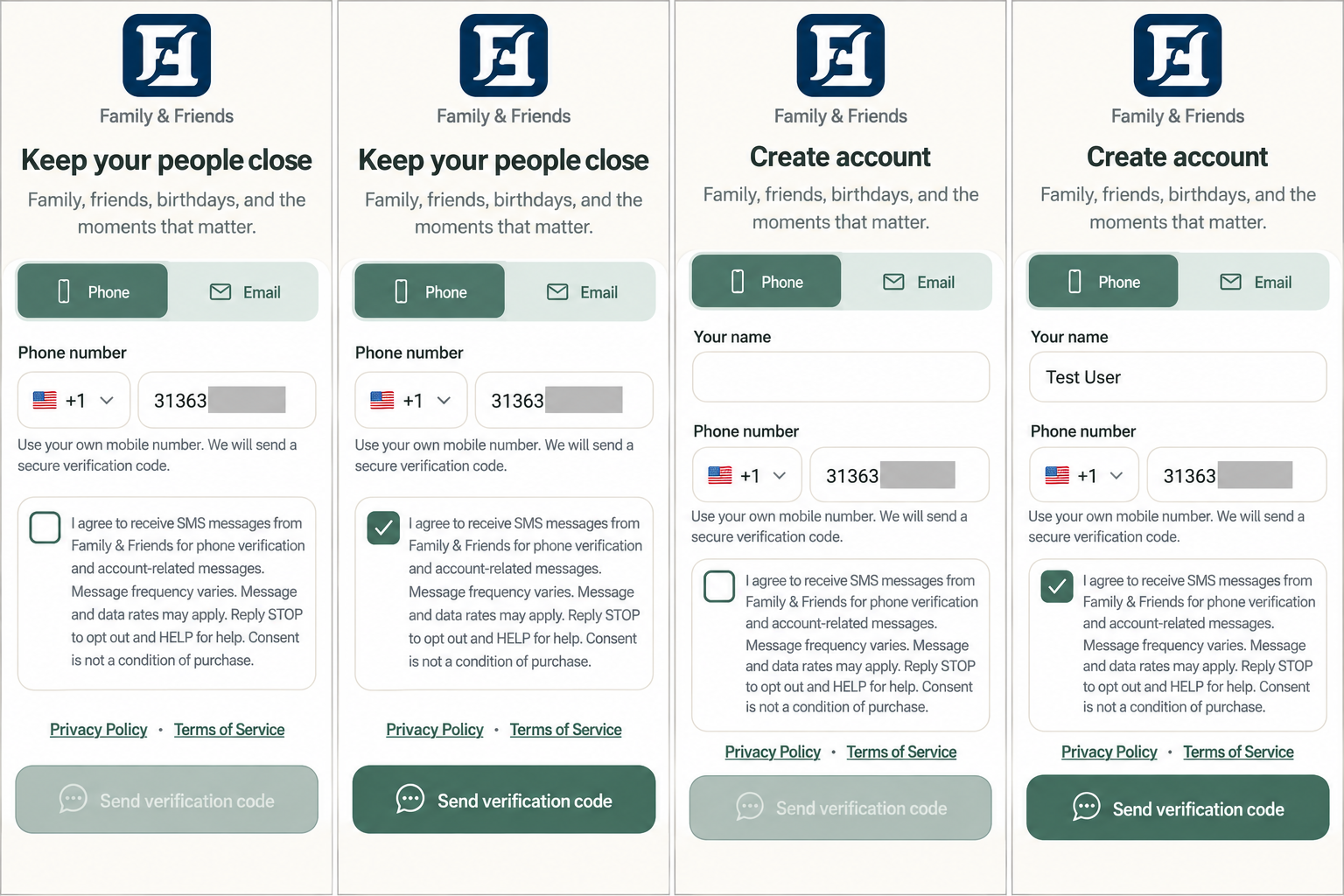
Phone Sign In and Create Account screens before and after explicit SMS consent.
Message frequency and charges
Message frequency varies based on account activity. Message and data rates may apply according to the user's mobile carrier and service plan.
Opt out and help
Users may reply STOP to opt out of SMS messages. Users may reply HELP for help.
Privacy
Mobile phone numbers and SMS consent information are not sold or shared with third parties for their marketing or promotional purposes. Information may be processed by service providers only as necessary to operate the account verification and messaging service.